Module for Syrve
Invoice Scanner — invoices into Syrve with a single QR scan
Every Montenegrin fiscal invoice carries a QR code. The service uses it to fetch the full document, checks it against your Syrve and creates the incoming invoice in the web office for you.
The challenge
Typing invoices by hand takes hours and causes errors
- Every invoice has to be re-typed line by line
- Typos in prices and quantities ruin your food cost
- New suppliers and products have to be created manually
- It is hard to check whether VAT matches the document
Benefits
What Invoice Scanner gives you
No manual entry
Data comes straight from the fiscal document.
Total checks
Quantity × price, discounts, VAT and total.
Smart matching
Finds existing and similar suppliers and products.
For chains
Several venues under one login.
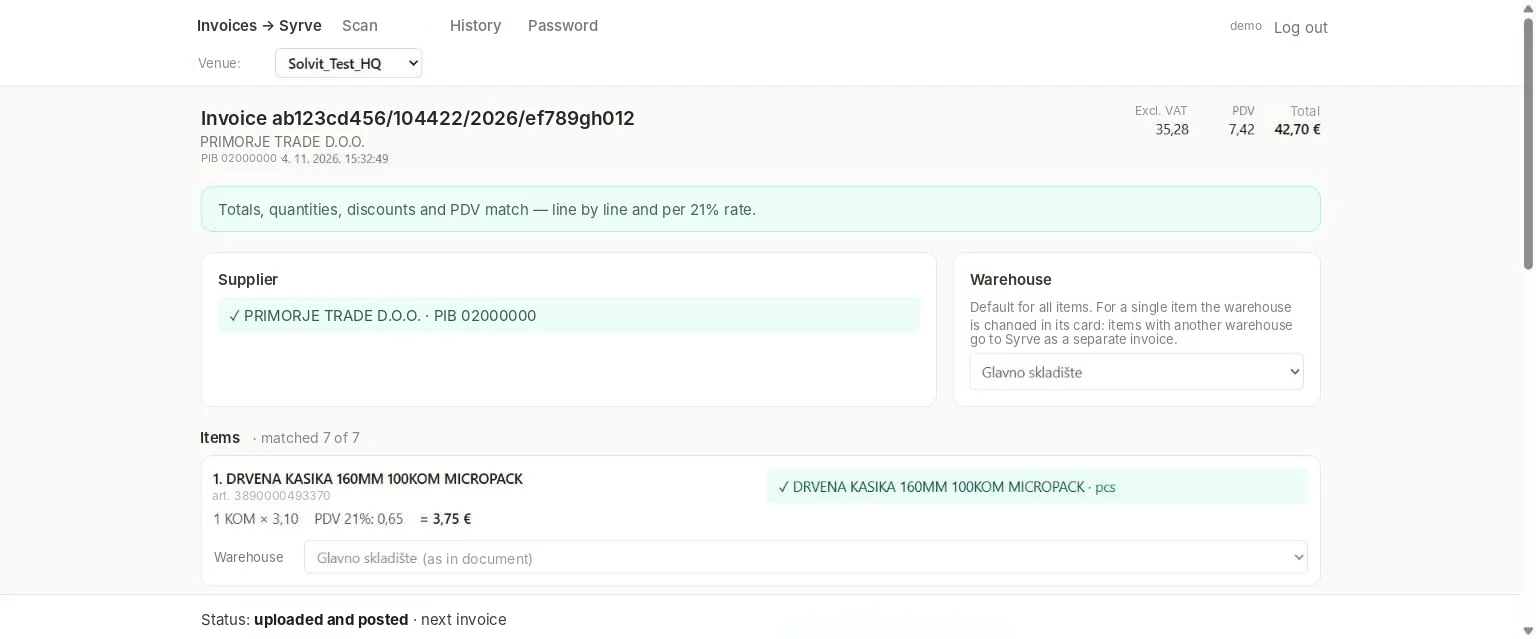
How it looks
real screens, made-up data
Features
How the service works
Everything you need to make goods receipt take minutes.
01
Fiscal QR reading
Full invoice data without photo recognition.
02
Suppliers
Choose an existing or similar one, or create a new one.
03
Products
Map lines to your Syrve items.
04
Checks
Quantity, price, discounts, VAT and document total.
05
Several venues
Switch between venues of a chain under one login.
06
Several users
Access for the staff of each venue.
Who it is for
Restaurants on Syrve
Goods receipt without typing.
Chains
All venues in one account.
Accounting
Clean data for bookkeeping.
How to get started
- 01
Request
Tell us about your venue and Syrve server.
- 02
Connection
We link the service to your Syrve.
- 03
Access
We create users for your venues.
- 04
Work
Scan invoices at goods receipt.
FAQ
Frequently asked questions
Which invoices are supported?
Montenegrin fiscal invoices with the tax authority’s QR code.
What if the supplier is not in Syrve yet?
The service suggests similar suppliers or creates a new one right from the interface.
Can I work with several venues?
Yes. A chain gets one login with a venue switcher, and each venue can have its own users.
How is the service billed?
A monthly licence per venue.
We will connect Invoice Scanner to your Syrve
Leave a request — we will set up access and show it on your own invoices.